


Gaming PC & Gaming Monitors – AV Access Docking Station KVM Switch Dual Monitor for Laptop & Desktop – USB-C Charging, Full Aluminium, KVM Switcher for 2 PCs with Ethernet, EDID, 4K@60Hz/2K@144Hz/1080P@240Hz, 3xUSB 3.0, Power
€269,99
Related Products


AV Access Docking Station KVM Switch Dual Monitor for Laptop & Desktop – USB-C Charging, Full Aluminium, KVM Switcher for 2 PCs with Ethernet, EDID, 4K@60Hz/2K@144Hz/1080P@240Hz, 3xUSB 3.0, Power
Gaming PC & Gaming Monitor – Performance für eSports & High-FPS Gaming
Product Description


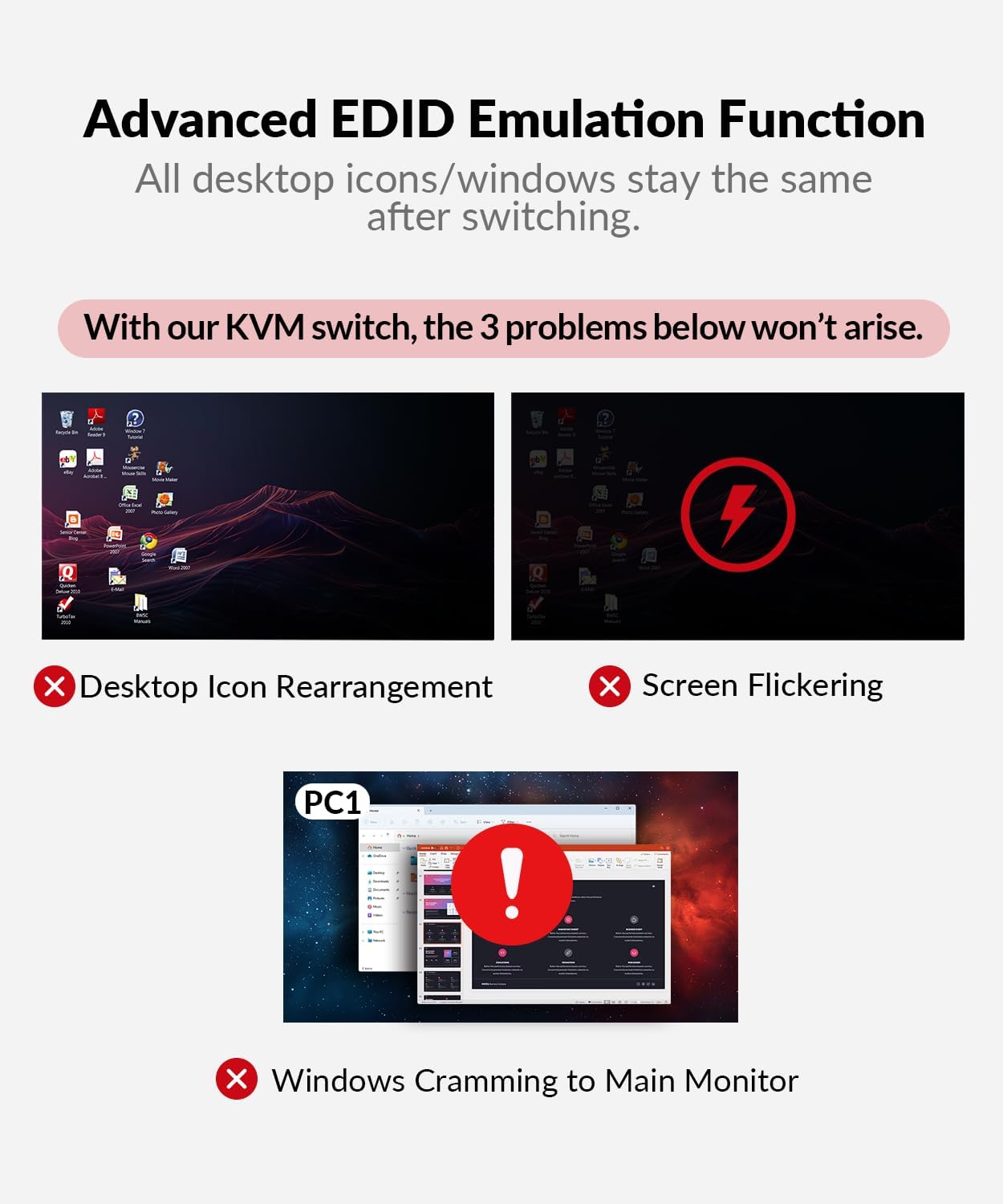
1 EDID Emulation
2 Fast Charging für Laptop
3 KVM-Switch für Gaming
4 Home Office


FAQ:
Q: Nach dem Anschluss an den KVM-Switch kann meine Laptop-Quelle kein Video auf den Monitor übertragen(Blake Screen), meine Desktop-Quelle hingegen schon. Was sollte ich tun?
Es kann ein Problem mit dem Kabel oder der Laptop-Einrichtung sein. Bitte überprüfen Sie die folgenden Punkte:
1. Verwenden Sie das im Paket enthaltene USB-C-Kabel und versuchen Sie, es an verschiedene USB-C-Anschlüsse Ihres Laptops anzuschließen (einige Arten von USB-C-Anschlüssen unterstützen keine Videoausgabe).
2. Rufen Sie die Anzeigeeinstellungen Ihres Laptops auf, um zu prüfen, ob der Monitor erkannt werden kann. Wenn ja, versuchen Sie, die Auflösung und die Bildwiederholfrequenz zu verringern.
Q: Nach dem Anschluss an den KVM-Switch kann meine Desktop-Quelle nur auf einem Monitor angezeigt werden, aber mein Laptop kann auf beiden Monitoren angezeigt werden. Oder wenn nur ein Monitor angeschlossen ist, kann mein Desktop kein Video streamen. Was sollte ich tun?
Die Ursache dafür kann eine falsche Verdrahtung oder ein falsches Adapterkabel sein. Bitte überprüfen Sie die folgenden Punkte:
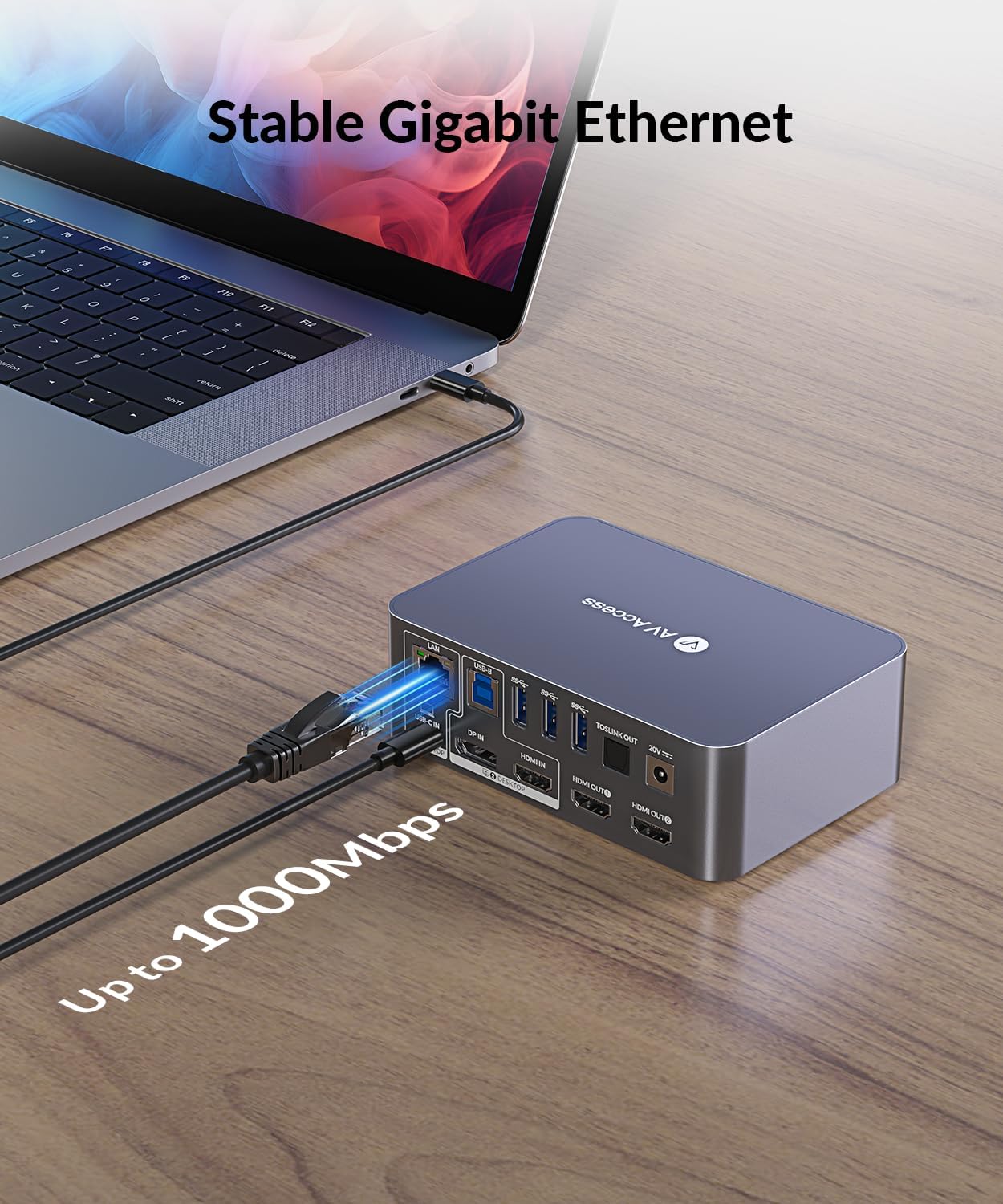
1. Der „DP IN“-Anschluss des KVM-Umschalters entspricht nur dem HDMI-Ausgang 1 und der „HDMI IN“-Anschluss entspricht nur dem HDMI-Ausgang 2, so dass beide Eingänge für Dual-Monitor-Anzeigen angeschlossen werden müssen. Für die Anzeige eines einzelnen Monitors muss jedoch einer der Eingänge entsprechend angeschlossen werden.
2. Wenn Sie Ihren Desktop an den DP-Eingang des Switches anschließen, überprüfen Sie bitte, ob Sie ein HDMI-zu-DP-Konvertierungskabel verwendet haben. Bitte beachten Sie, dass diese Art von Kabel immer unidirektional ist. Verwenden Sie daher unbedingt ein HDMI-zu-DP-Kabel und kein DP-zu-HDMI-Kabel.
Weitere Installationsanleitungen finden Sie in der Datei zur Fehlerbehebung.
AV Access KVM Switch Dual Monitor
Add To Basket
Add To Basket
Add To Basket
Add To Basket
Add To Basket
Add To Basket
Customer Reviews
4.0 out of 5 stars 94
4.2 out of 5 stars 18
4.0 out of 5 stars 129
4.4 out of 5 stars 19
4.2 out of 5 stars 19
3.5 out of 5 stars 39
Price
€269.99€269.99
€299.99€299.99
€249.99€249.99
€298.99€298.99
€169.99€169.99
€129.99€129.99
Computer
1 Laptop + 1 Desktop
2 Laptops
2 Desktops
1 Laptop + 2 Desktops
2 Desktops
2 Desktops
Monitors
Dual Monitor
Dual Monitor
Triple Monitor
Dual Monitor
Dual Monitor
Dual Monitor
Video Interface
Type-C, DP, HDMI
Type-C, HDMI
DP
Type-C, HDMI
DP
HDMI
Control
Panel Button
Panel Button
Switch Button/Hotkey
Panel Button/IR Remote/Hotkey
Panel Button/IR Remote/Hotkey
Panel Button/Hotkey
Remote Switch Button
×
√(not included)
√(not included)
×
×
×
Video Resolution
4K@60Hz 2K@144Hz 1080P@240Hz
4K@60Hz 2K@144Hz 1080P@240Hz
8K@60Hz 4K@165Hz 1080P@144Hz
4K@60Hz 2K@144Hz 1080P@240Hz
8K@60Hz 4K@165Hz 1080P@144Hz
4K@60Hz 2K@144Hz 1080P@240Hz
Power Delivery
√ (Laptop only)
√
×
√ (Laptop only)
×
×
EDID Emulation
√
√
×
√
×
√
Ethernet Connection
√ (Laptop only)
√
√
√ (Laptop only)
×
×
USB Peripherals
1*USB-C3.0,2*USB2.0,3*USB3.0
1*USB-C3.0, 4*USB 2.0,2*USB3.0
1*USB1.1,1*USB2.0,4*USB3.0
1*USB 1.1,1*USB 2.0,3*USB 3.0
1*USB 1.1,1*USB 2.0,3*USB 3.0
1*USB 1.1,3*USB 3.0
SD Card
√
√
√
×
×
×
Cables included
1*USB B-A,1*DP,1*HDMI,1* USB-C
2*USB-C
2*USB B-A,6*DP
2*USB B-A,2*HDMI,1* Type-C
2*USB B-A,6*DP
2*USB B-A
Product Dimensions : 15 x 5 x 35 cm; 1.92 kg
Date First Available : 8 April 2023
Manufacturer : AV ACCESS
ASIN : B0CMZZL64P
Item model number : iDock C10
Country of origin : China
Guaranteed software updates until : unknown
Best Sellers Rank: 14,455 in Computer & Accessories (See Top 100 in Computer & Accessories) 56 in KVM Switches
Customer reviews: 4.0 4.0 out of 5 stars (94) var dpAcrHasRegisteredArcLinkClickAction; P.when(‚A‘, ‚ready‘).execute(function(A) { if (dpAcrHasRegisteredArcLinkClickAction !== true) { dpAcrHasRegisteredArcLinkClickAction = true; A.declarative( ‚acrLink-click-metrics‘, ‚click‘, { „allowLinkDefault“: true }, function (event) { if (window.ue) { ue.count(„acrLinkClickCount“, (ue.count(„acrLinkClickCount“) || 0) + 1); } } ); } }); P.when(‚A‘, ‚cf‘).execute(function(A) { A.declarative(‚acrStarsLink-click-metrics‘, ‚click‘, { „allowLinkDefault“ : true }, function(event){ if(window.ue) { ue.count(„acrStarsLinkWithPopoverClickCount“, (ue.count(„acrStarsLinkWithPopoverClickCount“) || 0) + 1); } }); });
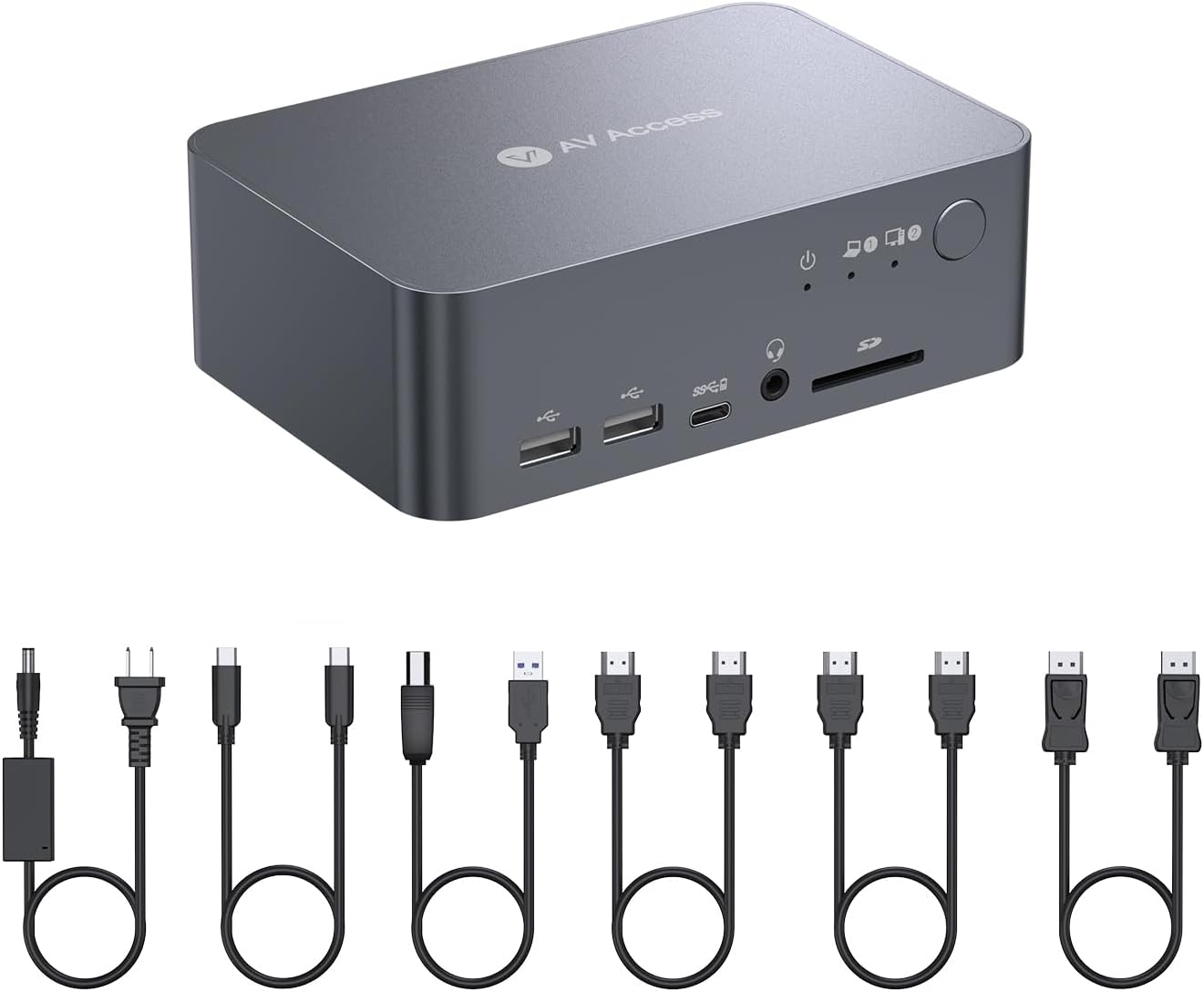
【Package list】: 1 x dual monitor KVM switch with docking station, 1 x power adapter (20 V/6 A), 1 x USB-C to USB-C cable (USB 3.2 Gen 2, 1 m), 1 x USB-A to USB-B cable (USB 3.0, 1.5 m), 1 x HDMI 2.0 cable (1.5 m), 1 x DisplayPort 1.2 a cable (1.5 m), 1 x DisplayPort 1.2 a cable (1.**User Manual
Note: only supports mirrored output under macOS.
【Note】: Please connect the HDMI IN, DP IN and USB-B cable to your desktop.
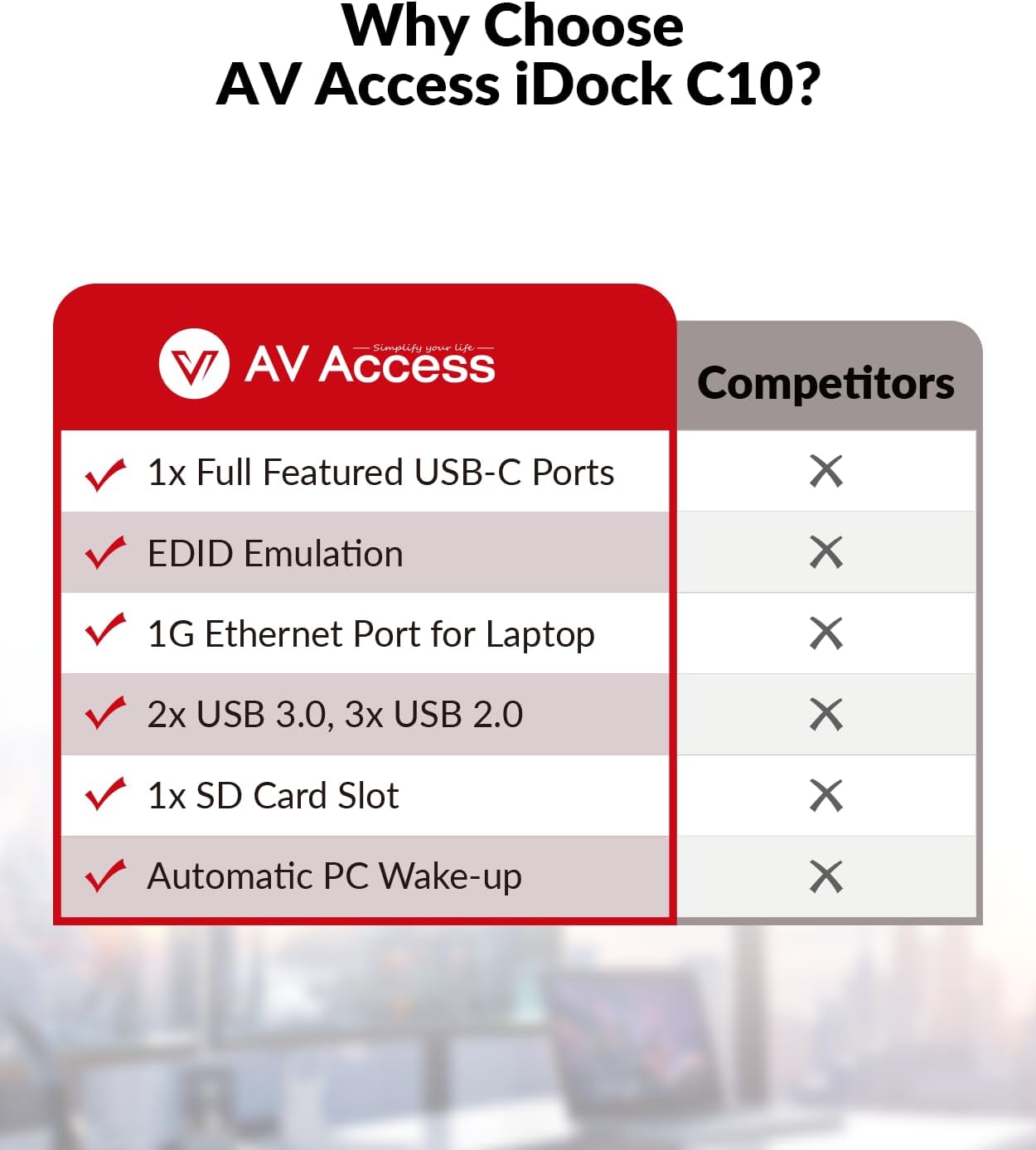
【Versatile 12-in-1 Docking Station】: Easily connect a variety of peripherals to your two PCs, including 3x USB 3.0, 2x USB 2.0, 1x USB-C, 1x SD card, 1x LAN, 1x Toslink output, 1x 3.5mm headset and two HDMI outputs. Create a powerful workstation at home.
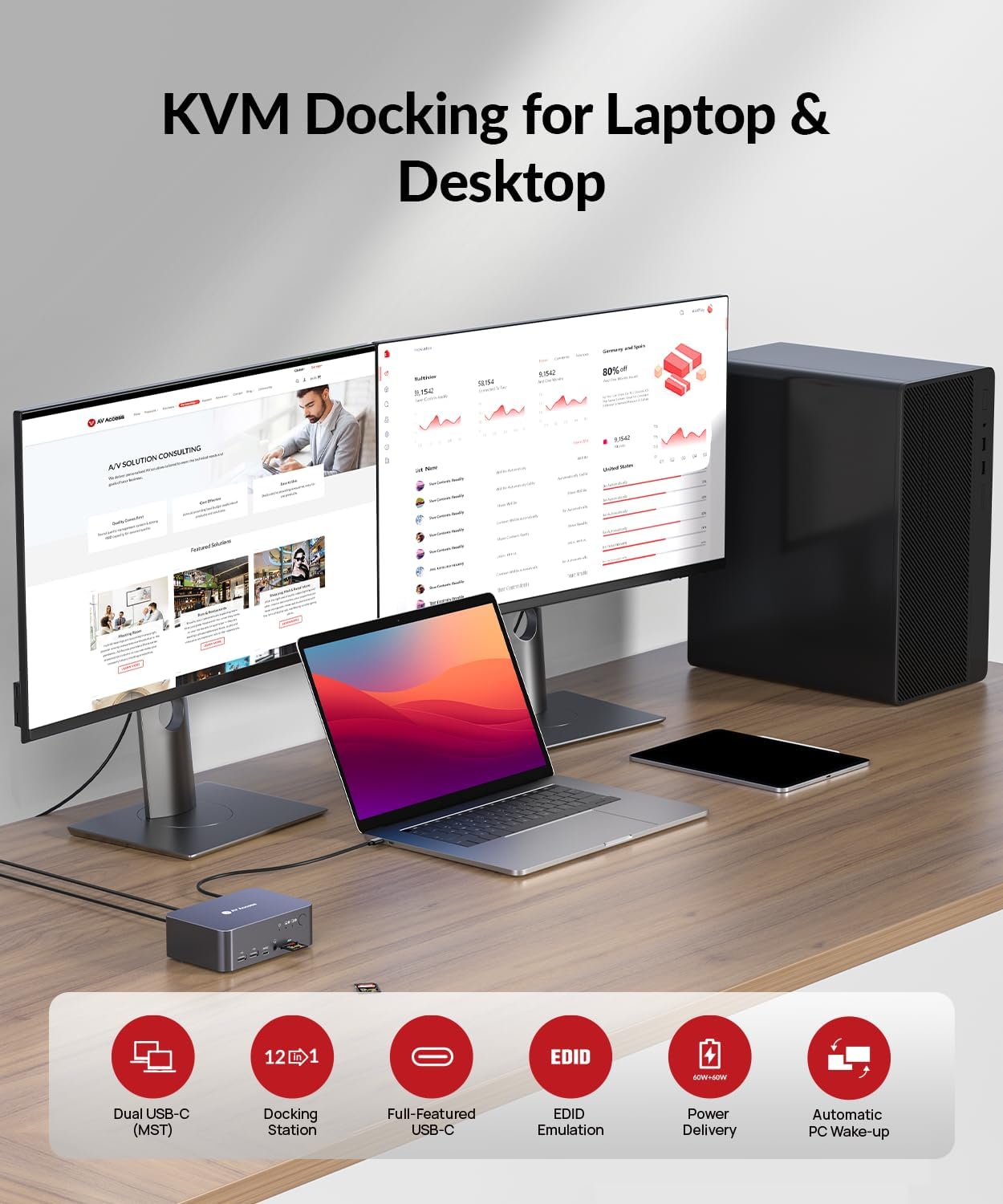
【KVM Switch Dual Monitor Design】: Quickly switch between your gaming PC and your workstation with the 1x USB-C (MST) input port for your laptop and 1x built-in HDMI + DisplayPort + USB-B input port for your desktop computer. Enjoy the convenience of switching between work and play.
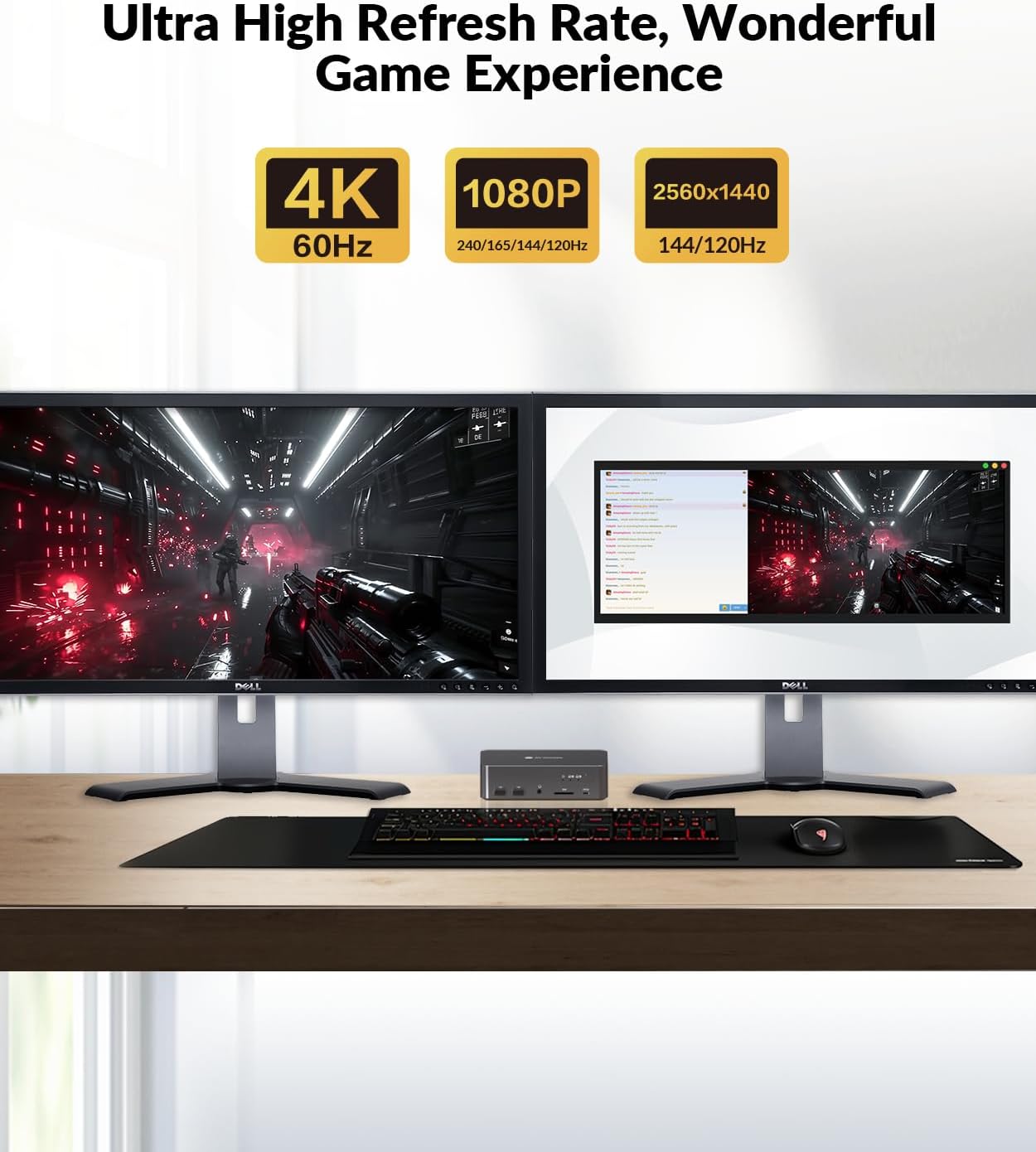
【Outstanding Image Quality】: Enjoy ultra-high refresh rates with HDMI 2.0, DisplayPort 1.2 & DisplayPort 1.4a (USB-C) compatible. Supports up to 4K@60Hz 4:4:4 while providing high refresh rates such as 1080P@240Hz/165Hz/144Hz/120Hz and 2560×1440@144Hz/120Hz for an exceptional gaming experience.
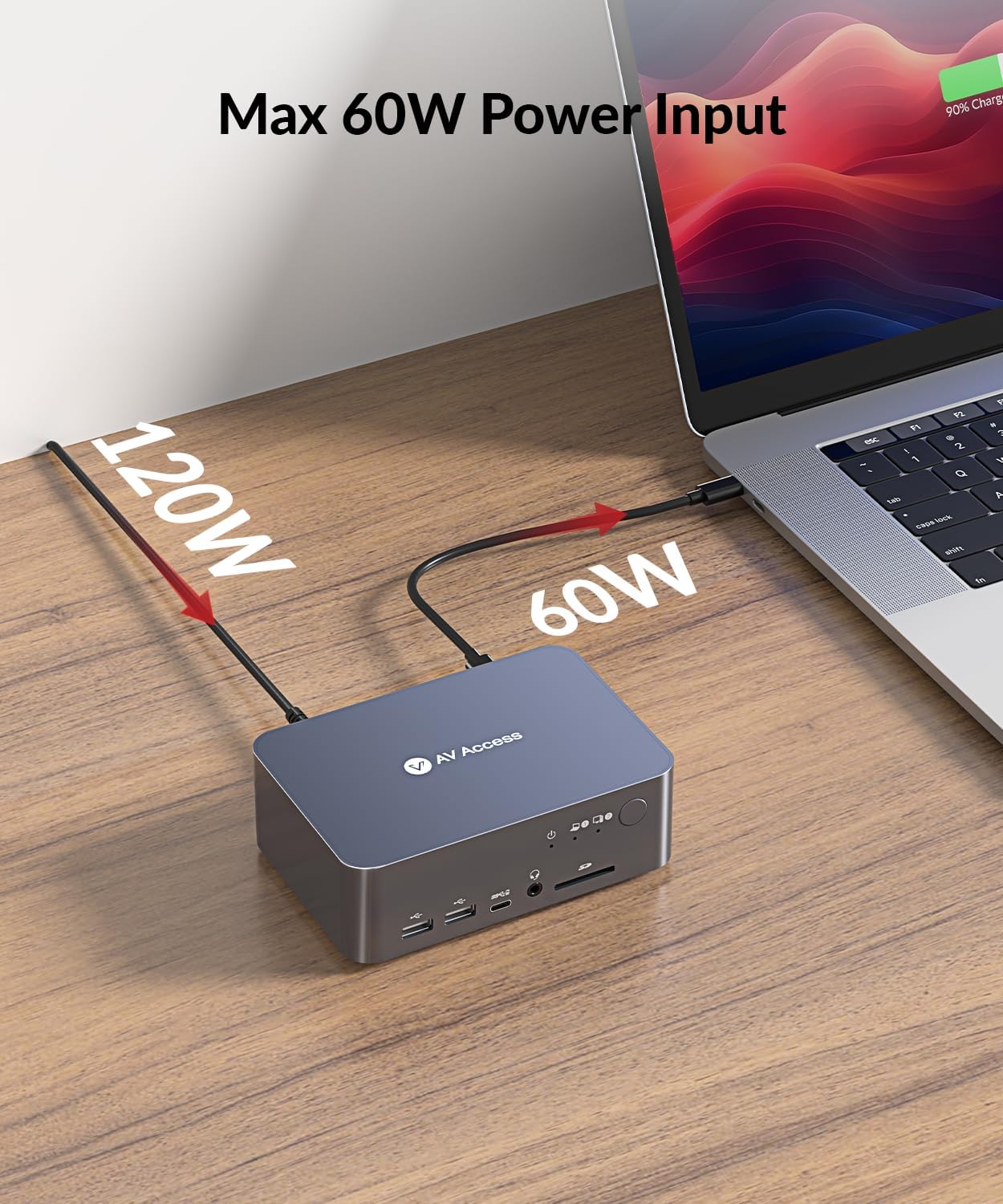
【Full-Featured USB-C】: Transfer data at up to 20Gbps via the USB-C port and charge your laptop at up to 60W. Easily play dual 4K UHD videos.
【Fast & Efficient Switching】: Save time with the automatic PC wake-up function and EDID simulation, which ensures fast switching between your PC sources in just 2-3 seconds. Use the control button on the front to effortlessly switch between your devices.
【1 Year Warranty for Free Replacement】: AV Access is very confident that this KVM docking offers a 1-year warranty, 1-month free replacement, and a lifetime customer service warranty. If you have any questions about it, just take a little time to email us, we promise to provide you with a 100% satisfactory solution.
- ⚡ High-FPS & eSports: Ideal für Shooter, Battle Royale & schnelle Reaktion
- 🎮 Maximale Performance: Perfekt für 144–240Hz Gaming-Monitore
- 🖥️ Kristallklares Bild: Optimiert für FHD, QHD oder 4K Gaming
- 🧊 Stabile Hardware: Für lange Sessions ohne Leistungsverlust
- 🏷️ Marke / Hersteller: v AV Access
💶 Aktueller Preis:
€199.99 - €269.99
(Stand: Jan 09, 2026 16:17:28 UTC)
*Anzeige – Amazon Affiliate Link

€269,99